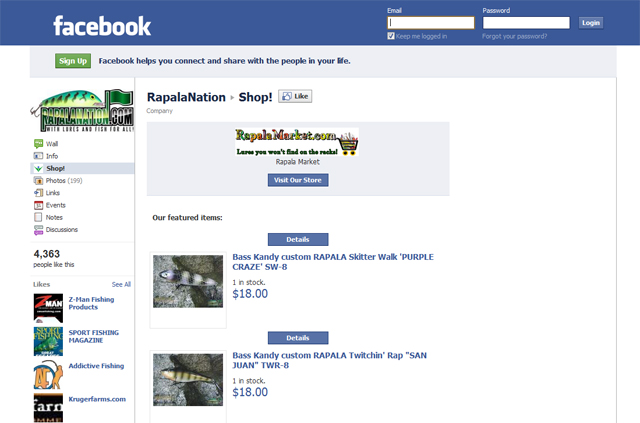
Use Vendio's Facebook Store application to get your items in front of 800 million+ Facebook users. Display the contents of your Vendio online store on your Facebook page, and allow customers to shop and checkout - without leaving Facebook.
Benefits
- Easy Setup
No coding or technical skills are required.
- Integrated with Facebook Pages
Customers can shop directly from Facebook on your business page.
- Generate Trust and Security
The trusted Facebook interface and secure Vendio checkout will help customers feel safer when making purchases.
- Automatic Viral Promotion
Social sharing and commenting helps increase your visibility in the Facebook community. When customers like your products or page, your store gets more traffic.
- Shared Wishlists
Buyers can add your items to their wishlists, and share their lists with friends - increasing your exposure.
- Synced Shopping Carts
Synced shopping carts increase sales by retaining items in shopping carts for purchases that have not yet been completed. Buyers can come back and make the purchase later if there is stock remaining.
Info and Instructions
- Facebook Business Page
Your Facebook Business (Fan) page is your social commerce foundation.
Click here to learn more about Facebook Pages.
- Facebook Ads
Use Facebook ads to drive targeted users to your page or website.
Click here to learn more about Facebook Ads.
- Facebook Store
Tap into the Facebook market with the Vendio Facebook Store application.
Click here for instructions on setting up a Facebook Store using Vendio.
Setting Up a Facebook Store Using Vendio
So you're ready to sell on Facebook? Great! Your products will be out in front of potential Facebook customers in no time. Just follow the steps below and start selling.
Before you get started, make sure you have a Facebook page set up and ready to link to your Store. To do this:
- Log into the Facebook account that you want to use for your Store. Generally, you would have two Facebook accounts - one personal, and one for your business.
This is not a rule, of course - you can link your Vendio Store to your personal account if you prefer.
- Go to the bottom of your Facebook page, and click "Create a Page". Choose the most relevant category and follow the steps to create your business page.
Once your Facebook page is set up, add a Vendio Store:
- Register for Vendio. You need a Store to link to your Facebook Page, and we have an easy-to-set-up Store waiting for you.
- Go to the Stores tab, then click Applications. Click "Get it Now" under Facebook Store.
- Sign into your Vendio Account on Facebook.
- Click "Add Facebook Store to your fan page"
- Enable permissions (if necessary) and click "Install Store".
Your Vendio Store will now be linked to your Facebook account. You will want to add some products so you can start selling - here are some basic steps to get you on your way:
- Set up your Preferences. Just go to My Vendio > Preferences to do this.
- Once you've set up your Preferences, add some Profiles. These will allow you to specify settings that can be saved and re-used with you items as you add them.
Go to Items > Profiles to do this.
- Import items from eBay, Amazon, or CSV file, or, create your items on the fly using the Create Items form.
- Make sure your Store is set up. Go to the Stores tab, and follow the steps.
- Make sure the Store visibility is set to "visible". You can do this on the My Vendio page in the Stores widget.
Once you've completed these steps, you're on your way to being a F-Commerce pioneer! Vendio frequently posts helpful information and strategies on our blog, Vendio eCommerce Blog.
Click here for some tips on creating awesome Facebook Pages.
Follow us for advice on social commerce and more.