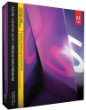
New Adobe Creative Suite 5 Production Premium software and supporting
resources build the skills students need for the rapidly changing
filmmaking, broadcasting, and video post-production industries. Students
and educators can more easily use the latest tapeless workflows and
work fluidly in HD--with the support of a standards-aligned curriculum
and professional development resources. CS5 performance
enhancements--including 64-bit operating system support and GPU
acceleration--give students more time to experiment. Through integration
with Production Premium, students and educators can access Adobe Story,
a new Adobe CS Live online service, to speed up production by
streamlining scriptwriting and shooting. Flexible volume licensing
programs and low pricing for students and educators make Adobe Creative
Suite 5 Production Premium affordable for institutions of all sizes.  | Adobe Creative Suite 5 Production Premium combines: - Adobe Premiere Pro CS5
- Adobe After Effects CS5
- Adobe Photoshop CS5 Extended
- Adobe Illustrator CS5
- Adobe Flash Catalyst CS5
- Adobe Flash Professional CS5
- Adobe Soundbooth CS5
- Adobe Encore CS5
Additional components: - Adobe Bridge CS5
- Adobe Dynamic Link
- Adobe Device Central CS5
- Integration with new Adobe CS Live online services
|
Use high-performance production tools to create engaging content for virtually any screenComprehensive, best-of-breed video production environment
Work faster as you tackle a broad spectrum of planning, production, and
post-production tasks. Each component of Production Premium works
smoothly with other components thanks to timesaving integration,
roundtrip editing with other NLEs, and faster Adobe Dynamic Link
performance. Native 64-bit performance and the new Adobe Mercury Playback Engine
Work fluidly at HD and higher resolutions with native 64-bit support in
Adobe After Effects CS5, Photoshop CS5 Extended, and Adobe Premiere Pro
CS5. The new Mercury Playback Engine is native 64 bit and GPU
accelerated* and provides rock-solid performance and stability, even at
4K resolution and beyond. Open projects rapidly, and create multilayer,
effects-rich sequences without rendering. *
Supported NVIDIA graphics cards for GPU acceleration include Quadro CX
(Windows), Quadro FX 3800 (Windows), Quadro FX 4800 (Windows and Mac
OS), Quadro FX 5800 (Windows), and GeForce GTX 285 (Windows and Mac OS).
For an up-to-date list of supported cards, visit
www.adobe.com/go/64bitsupport. Broad format support in Adobe Premiere Pro
Experience the industry's best tapeless workflow while working with
virtually any format including DV, HDV, RED, DPX, Sony XDCAM, XDCAM 50,
XDCAM EX and XDCAM HD, Panasonic P2, DVCPRO HD, AVCHD, and AVC-Intra.
Edit video from DSLR cameras such as the Canon 5D Mark II and 7D; Nikon
D90, D300s, and D3000; and others. Richer, more compelling 2D and 3D images with Adobe Photoshop Extended
Export video sequences from Photoshop Extended and import them into
After Effects, Adobe Premiere Pro, and Adobe Encore. Work with new
painting tools; make complex selections more easily; and create 3D logos
from text, masks, or vectors. Compositing and animation tools in Adobe After Effects
Design groundbreaking motion graphics and blockbuster visual effects
with industry-standard After Effects. Get everything you need to create
opening titles, animated graphics, and visual effects or to create and
move images in 3D space. Roundtrip editing and streamlined collaboration
Move projects back and forth between Adobe Premiere Pro and Final Cut
Pro or Avid editing software. Accelerate workflows by taking advantage
of integration with new Adobe CS Live online services, such as Adobe
Story for developing scripts. CS Live online services are complimentary
for a limited time--visit www.adobe.com/go/cslive for details. Script-to-screen workflow through integration with Adobe Story
Speed up production and post-production through integration with Adobe
Story, a collaborative scriptwriting tool that's part of CS Live online
services. Integrated metadata support makes it easy to create shot lists
in Adobe OnLocation and rough cuts in Adobe Premiere Pro. CS Live
online services are complimentary for a limited time--visit
www.adobe.com/go/cslive for details. Editing efficiency through metadata
Add intelligence to your assets using innovative metadata features that
make editing and compositing easier, and raise the value of your
content when it is distributed online. Encoding and delivery for screens everywhere
Batch encode source files to a broad selection of formats that meet a
variety of standards with Adobe Media Encoder. Author once in Encore CS5
for DVDs, Blu-ray discs, and searchable web DVDs. Preview and test
content for mobile phones and other devices in Adobe Device Central. Pristine audio creation in Adobe Soundbooth
Use Soundbooth to accomplish everyday audio tasks quickly while
maintaining high-quality results and creative control. Remove noise from
a recording, polish voiceovers, customize music to fit a production,
and much more.  Craft
your story efficiently with Adobe Premiere Pro CS5 software, the
high-performance video production solution that enables you to work
dramatically faster thanks to the native 64-bit, GPU-accelerated Adobe
Mercury Playback Engine. Click to enlarge. |  Adobe After Effects CS5 delivers the visual richness required to get noticed in today's media culture. Click to enlarge. |  Brand
new in CS5 Design Premium, Flash Catalyst CS5 equips you to design
interactive content using intuitive tools that leverage skills you
already have--and without writing code. Click to enlarge. |  Paint freely in Illustrator CS5 with the vector-based Bristle Brush to produce lifelike brush strokes. Click to enlarge. |
Interactive design with Adobe Flash Catalyst or Flash Professional
Design interactive online video portfolios without writing code using
Flash Catalyst, a new interaction design tool. Easily add video to
sophisticated interactive experiences with a flexible, industry-standard
workflow in Flash Professional. Adobe Premiere Pro CS5--Accelerate production with the new Adobe Mercury Playback Engine
Craft your story efficiently with Adobe Premiere Pro CS5 software, the
high-performance video production solution that enables you to work
dramatically faster thanks to the native 64-bit, GPU-accelerated Adobe
Mercury Playback Engine. Edit natively with the video formats you want.
Save time by batch encoding source content to a wide variety of video
formats for web, disc, broadcast, film, device, and mobile delivery.
Easily exchange projects with Final Cut Pro and Avid software, and enjoy
efficient, collaborative workflows that accelerate production from
scriptwriting to editing, encoding, and final delivery. Improve your production workflow
Focus on telling your story with powerful, flexible editing tools. With
the native 64-bit Adobe Mercury Playback Engine, the industry's best
native tapeless workflow, and unparalleled Adobe integration, Adobe
Premiere Pro CS5 sets a new standard in editing efficiency. Collaborate openly and effectively
Work in an open, extensible post-production environment. Write scripts
collaboratively. Efficiently gather feedback from clients and teammates.
Easily exchange projects with other Adobe software, Final Cut Pro, and
Avid software. Deliver engaging video practically anywhere
Create video optimized for online viewing as well as for broadcast,
disc, film, device, and mobile distribution. From capture to final
delivery, use metadata to make assets easier to find in production,
create engaging interactive experiences, and help audiences discover
your videos online. Adobe After Effects CS5--Create motion graphics and visual effects with the industry standard
Adobe After Effects CS5 delivers the visual richness required to get
noticed in today's media culture. Use open-ended creative tools. Work
efficiently on high-resolution projects thanks to native 64-bit support.
And benefit from tight integration with Adobe's other leading software.
Whether you're working in film, broadcast, online, or mobile media,
Adobe After Effects enables you to create groundbreaking motion graphics
and blockbuster visual effects. Get 64-bit performance
Work more quickly with groundbreaking 64-bit performance that
dramatically improves the experience of creating HD and higher
resolution content. Streamlined tools and tight Adobe integration also
accelerate your workflow. Innovate visually
Express
your visual ideas with freedom. Adobe After Effects CS5 revolutionizes
motion design with an open-ended environment that fosters creative
experimentation. Composite efficiently
Realize your
vision quickly and efficiently by drawing on a broad and deep set of
tools designed to help you solve any creative challenge. Deliver everywhere
Master modern media: Deliver your completed projects to the widest
range of formats, from large format feature films and high-definition
television to websites and mobile devices. Adobe Photoshop CS5 Extended--Create powerful images with the professional standard
Adobe Photoshop CS5 Extended software helps you create the ultimate
images for print, the web, and video. Enjoy all the state-of-the-art
editing, compositing, and painting capabilities in industry-standard
Photoshop CS5, and experience fast performance thanks to cross-platform
64-bit support. Also create 3D extrusions for logos, artwork, and motion
graphics; edit 3D objects with advanced tools; and create and enhance
motion-based content. Innovate in 3D
Go beyond
traditional image editing by bringing 3D elements to your 2D artwork
directly within your favorite digital imaging application, which now
offers an easy on-ramp to 3D image creation. Maximize creative impact
Explore new creative possibilities with breakthrough tools that enable
you to select, adjust, paint, and recompose images with tremendous
precision and freedom. Boost productivity
Accelerate
your workflow with fast performance on 64-bit hardware systems, smoother
interactions thanks to GPU acceleration, and dozens of time-savers
throughout the application. Adobe Illustrator CS5--Explore new paths with the essential vector tool
Create distinctive designs for any project. Used by creative
professionals worldwide, Adobe Illustrator CS5 software provides
precision and power. Paint expressively with vectors, draw in
perspective, and explore designing for interactivity. Move easily
between Illustrator, other Adobe products, and Adobe CS Live online
services. Get the job done efficiently but beautifully, moving quickly
from multiple ideas to multiple outputs with complete control and
delivering exactly what you had in mind. Design with powerful creative tools
Take advantage of exceptional precision and power to create distinctive
vector artwork. Combine highly controllable drawing tools with
expressive natural brushes and dramatic effects to make unique, striking
designs. Work smoothly and efficiently
Speed up your
workflow with innovations that encourage efficiency. Get the job done
with purpose and agility using shortcuts and time-savers to take
multiple ideas to multiple outputs. Deliver virtually anywhere
Incorporate vector artwork into essentially any project and deliver
resolution-independent graphics across media. Enjoy tighter-than-ever
integration with other Adobe products and go anywhere your creativity
takes you. Adobe Flash Catalyst CS5--Create expressive interfaces and interactive content without writing code
Adobe Flash Catalyst CS5 software is an approachable new interaction
design tool. Use it to transform Adobe Photoshop, Illustrator, and
Fireworks artwork into expressive interfaces and fully interactive
content without writing code, and publish as SWF or Adobe AIR files.
Collaborate with developers who can open your project files with Adobe
Flash Builder software to extend functionality, and leverage the reach
and consistency of the Adobe Flash Platform. Leverage the power of the Adobe Flash Platform to create interactive projects
Rapidly create expressive interfaces and interactive content to your
exacting design standards. Deliver your creative vision with the reach
and consistency of the Adobe Flash Platform. Approach interaction design without writing code
Transform static designs from Adobe Photoshop, Illustrator, or
Fireworks software into fully interactive projects without requiring
development or coding skills. Define behaviors and control sophisticated
interactions with simple yet powerful menu-based commands. Speed the design and development process
Use familiar design applications to easily create and edit artwork.
Developers can open Flash Catalyst projects directly in Adobe Flash
Builder software, preserving design fidelity and interactions defined by
the designer.  With
Adobe Repoussé, you can extrude, bevel, bend, shear, and twist any text
layer, selection, path, or layer mask. Apply lighting and materials to
create effects never previously possible in Photoshop. View controls. |  Designers who love fine typography will be thrilled by extensive type controls in Flash Professional CS5. Click to enlarge. |  Adobe
Soundbooth CS5 software is a professional audio editor that makes it
easy to create, edit, and clean up audio for all your productions. Click to enlarge. |
Adobe Flash Professional CS5--Create and deliver rich interactive content
Adobe Flash Professional CS5 software is the industry-leading
environment for interactive authoring and delivery of immersive
experiences that are presented consistently across personal computers,
mobile devices, and screens of virtually any size and resolution. Design
expressive content with professional typography and pixel-precise
drawing tools, write code precisely and efficiently with code completion
and customizable code snippets, and deliver superior-quality video to
audiences practically everywhere. Design with expression
Communicate your creative vision without sacrifice and set the bar for
interactive design with typographic precision, layout fidelity, and
expressive motion-editing capabilities. Write code quickly and easily
Quickly and efficiently write code with powerful authoring tools and
integration with Adobe Flash Builder software. Easily add interactivity
directly in the ActionScript language by injecting extensible code
snippets. Deliver in fewer steps and in more places
Save time and reduce the number of required steps when moving content
from design, to development, and ultimately to delivery. Distribute
consistently across personal computers, mobile devices, and screens of
virtually any size and resolution. Adobe Soundbooth CS5--Create and edit audio with ease
Adobe Soundbooth CS5 software is a professional audio editor that makes
it easy to create, edit, and clean up audio for all your productions.
Intuitive, task-based features and tight integration with other Adobe
applications save time and help you achieve professional results. Mix
royalty-free, customizable soundtracks and sound effects with dialogue
in the improved multitrack environment for complete creative control. Simplify audio workflows
Make short work of everyday audio with a smooth, intuitive workflow
that features task-based tools and tight integration with other Adobe
Creative Suite Production Premium components. Fix audio problems fast
Automatically detect and fix common flaws in audio such as hisses,
hums, phase problems, crackling, and pops. Add reverb to match
on-location room ambience. Match the volume of different dialogue clips. Create soundtracks easily
Drag and drop Soundbooth Scores to create soundtracks. Make the music
fit your visuals with easy adjustments to timing, and suit your
project's mood with easy adjustments to intensity, atmosphere, and
instrumentation. Get professional-sounding mixes
Combine music, dialogue, and sound effects on multiple tracks. Easily
control EQ, volume, pan, and effects on each track using automation. Add
mastering effects for final polish. Locate dialogue quickly
Convert spoken dialogue into searchable text, and use custom
dictionaries to increase the accuracy of asset search. Export
transcripts to create searchable video. Searchable web DVDs and other enhancements in Adobe Encore CS5
Adobe Encore CS5 software is a versatile, interactive authoring tool
for video distribution that allows you to deliver your projects beyond
DVD and Blu-ray Disc. In a single operation, you can easily turn your
DVD and Blu-ray Disc projects into web DVDs that now include a search
interface. The new interface gives viewers a more engaging experience by
enabling them to search within a web DVD using keywords. During
authoring, Encore automatically creates a search database using metadata
from speech-analysis text, subtitles in timelines and slideshows, and
menu and button names. Also new in Encore CS5 is the ability to: -
Further enhance the viewing experience by creating web DVDs with a
sleek, customizable playback interface that features easy-to-use
playback controls and the option to watch HD video in full-screen mode.
-
Create a smoother experience for viewers when they choose from options
across multiple menus on Blu-ray Discs. Browsable multipage menus show
options across multiple menu pages without interrupting the playback of
audio and video background elements. Multipage menus can be easily
created in Adobe Photoshop or directly in Encore.
- Working in
the Adobe Premiere Pro timeline, you can take 4K projects directly to
high-definition Blu-ray Discs using a workflow that maintains the
original 4K content all the way to output, when it is finally encoded
and scaled. This capability is especially meaningful to video editors
and motion graphics and visual effects artists who work on projects at
film resolutions.
- Experienced Encore users will appreciate the
ability to share Encore CS5 projects without worrying about platform
compatibility. Encore projects can be moved between Windows and Mac
platforms freely, without conversion. Editors and motion graphics and
effects artists can benefit from native 24p project support for Blu-ray
Disc, DVD, and web DVD titles, complete with 24p timecode in the
timeline. (Previously, Encore placed all assets in timelines with a
default frame rate of 29.97, irrespective of the properties of the
assets.)
- Continue authoring while you transcode your media
assets. Adobe Media Encoder, a separate, 64-bit software application,
encodes your files in the background, freeing Encore to process your
authoring tasks. This separation of authoring and encoding is
particularly important with 4K workflows, which can be taxing on your
computer.
Efficient production and tapeless camera support in Adobe OnLocation CS5
Adobe OnLocation CS5 provides an impressive array of production tools
to help you shoot better and faster while saving time and money, both on
set and off. New support for tapeless cameras extend the ways you can
use OnLocation in your production workflows. Spot problems in imported tapeless footage.
Thanks to new tapeless camera support, you can use the comprehensive
software waveform monitor and vectorscope as well as the audio spectrum
analyzer in OnLocation to identify image and audio problems in imported
files by quickly scanning your footage for audio pops, clipping, and
video overbrights. Logging with tapeless cameras. Get all
the benefits of real-time, on-set logging when working with tapeless
cameras. Simply tell OnLocation which shot is currently recording and
then enter notes, comments, and additional metadata into placeholder
clips. Using timecode as a reference, OnLocation automatically matches
the information to the recorded clips when they are imported from the
tapeless media, regardless of whether the camera is tethered to
OnLocation on-set or whether the clips are imported during
post-production. Faster logging with Turbo Comments. While
recording, the new Turbo Comments feature lets you add frequently used
words--cast names, sports highlights, and so on--with a single keystroke
to log live action accurately, consistently, and efficiently.
OnLocation lets you store up to nine comments with unique shortcuts, for
immediate, timecode-accurate logging.
|