|
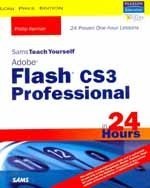
Sams Teach Yourself Adobe Flash CS3 Professional
in 24 hours
In just 24 lessons of one hour or less, you will be able to create dynamic animations using Adobe® Flash® CS3 Professional. Step-by-step instructions carefully walk you through the most common Flash tasks.
Table of Contents
Part I: Assembling the Graphics You'll Animate in Flash
1. Basics
2. Drawing and Painting Original Art in Flash
3. Importing Graphics into Flash
4. Using the Library for Productivity
5. Controlling Color
6. Applied Layout Techniques
Part II: Animating in Flash
7. Understanding Animation
8. Animation the Old-Fashioned Way
9. Using Motion Tweens to Animate
10. Using Shape Tweens to Morph
11. Including Sound in Animations
12. Using Layers in Animations
13. Nesting Animations in Movie Clip and Graphic Symbols
14. Creating Special Effects
Part III: Adding Interactivity and Video
15. Basic Interactivity
16. Using Components
17. Using Video
Part IV: Putting It All Together for the Web
19. Linking a Movie to the Web
20. Designing a Website to Be Modular
21. Minimizing File Size
22. Optimizing Performance
23. Advanced Animation Techniques
24. Publishing a Creation
Salient Features
Shows readers how to take advantage of Photoshop and Illustrator integration, making it possible to selectively import individual layers from native PSD or AI files.
Covers important Flash features, including improved video encoding and pen tool.
Tells readers how to use device central to simulate how a mobile application will behave while still inside of Flash.
|
Publisher |
SAMS |
|
Author |
Phillip Kerman |
|
Pages |
576 |
|
Price |
INR Rs. 350.00 |
|