Please Read this entire posting !

Please Read this entire posting !
*Monthly service fee and merchant account agreement are required.
You need internet at your place of business to run this system !
What are you getting with this auction:
- A point of Sale System
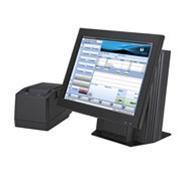
- 1 POS terminal
- 1 cash drawer
- 1 printer for receipts
- Retail has a Bar code scanner
- UBC provides the router
- We cover 10 feet of installation, from unit to IP connection.
- We cover normal installation.
- If there's additional contractor installation cost, it will be passed on to the merchant.
- Training
We have additional modules that may run a few dollars extra each month, as an example:
Pizzeria's have a data management module for caller ID, so you know who is calling and where to deliver the pizza.
Caller ID for a Pizzeria's is considered an extra module and there would be an extra monthly fee for that service.
Other modules are available, call me with your particulars and we'll see if we can design the right package.
*Monthly service fee and merchant account agreement are required.
Here's a pdf on the product.
tinyurl.com/Harbortouch-Hospitality
These are the important items for you to know:
- You'll need to apply for a Merchant Account with United Bank Card and be approved. I'll help you with that.
- The $59 a month and $69 per quarter doesn't start until the 1st of the month following your first $10 credit card transaction.
- That means you would have designed your system, been trained, seen your system in action online and approved the system before it leaves our office.
- It then would be delivered, based on your shipping requirements below.
- The system will be installed for you.
- You and your staff will be trained.
- You pay the shipping, $25 for 5 to 7 day ground, $51.50 for 2 day UPS or $76.95 for next day delivery.
- UBC is locking you into a 5 year contract.
- That means the $59 a month abd the & $69 a quarter, would still be due even if you cancel after you've taken delivery of the system.
- If you want us to provide paper to you every month, our paper program runs $12.95 a month,
This is a new POS placement program, so please bare with me if we've overlooked a detail or two.
When we first started UBC had 250 merchants in the first 60 days, most POS companies have 250 deals in a year.
The bottomline is that you are receiving a $5,000 system, if you'll do your credit cards service with us.
I have an Excel worksheet to see if this makes sense for you.
You'll need to open and save it and then it will work.
When it is first downloaded it's in a read-only format.
tinyurl.com/Harbortouch-Work-Sheet
I think you'll be suprised how much this POS system will save you !
Merchant account is required.

Winning bidder must set up a merchant account with United Bank Card.
*Monthly service fee and merchant account agreement are required.

United Bank Card, Inc. is a registered ISO/MSP of First National Bank of Omaha, 1620 Dodge St., Omaha, NE
Here's a flyer on the system:
FACT: HARBORTOUCH Point of Sale systems cost 100% less than comparable "big name" Point of Sale systems.
FACT: HARBORTOUCH onsite, remote and telephonic support is a fraction of the cost of traditional industry support costs.
HOW IS THIS POSSIBLE?
HARBORTOUCH is an entirely different Point of Sale system marketing model than traditional "big name" Point of Sale system manufacturers who use physical brick and mortar resellers to sell and service their systems.
By eliminating the inherent overhead in the traditional Point of Sale system reseller model the mark up necessary to sustain it is eliminated.
HARBORTOUCH is sold directly through UNITED BANK CARD who developed and own HARBORTOUCH.
Installation and future onsite service is provided through contracted affiliates.
24/7 remote and telephonic support is provided directly by UNITED BANK CARD's dedicated HARBORTOUCH support staff.
Simply put, the expensive traditional reseller link in the distribution chain doesn't exist.
This is why HARBORTOUCH can provide your business with Point of Sale system hardware, software and support which is in every respect comparable to "big name" systems costing 100% more initially and having support costs that literally are 400-500% more expensive.
MICROSOFT software and award winning TOSHIBA hardware are two of the well known brands used by HARBORTOUCH.
Printers, kitchen video, bar code scanners and other components are from the same well known manufacturers used by virtually every Point of Sale system manufacturer.
No manufacturer actually builds their entire system, they develop the software and outsource the hardware.
It is a common misconception that because HARBORTOUCH is not nearly as expensive as its competitors there must be lower quality components and/or less functionality.
This is not the case.
In fact, HARBORTOUCH is the only Point of Sale system we are aware of that will replace defective equipment at no charge with no time limit.
That means even if a component wears out it is replaced at no charge.
WHO IS UNITED BANK CARD?
UNITED BANK CARD (UBC) is a credit card processor currently servicing over 100,000 merchants nationwide with an A- BBB rating.
UBC has also won INC magazine's prestigious top 500/5000 award 2005-2009 and Deloitte's Technology Fast 50 award.
As your credit card processor UBC has a vested interest in supporting your HARBORTOUCH Point of Sale system.
Another advantage is should a problem arise your business will have one source for both credit card processing and Point of Sale system support.
This is an advantage not to be overlooked as often there are two or three different entities providing support for Point of Sale systems.
This includes Payment Card Industry Data Security Standard (PCI DSS) mandatory compliance.
IS HARBORTOUCH NEW?
No, HARBORTOUCH has been in existence for nearly three years and is currently installed in many retail and restaurant locations nationwide.
Version 2 Hospitality software was released several months ago and all restaurant users were upgraded at no charge.
"Big name" Point of Sale system resellers typically charge thousands of dollars to upgrade to a newer version of their software.
If your business currently uses a "big name" Point of Sale system you may be able to purchase an entire HARBORTOUCH system for the price of upgrading your current system software.
For More Information check the HarborTouch website:
*Monthly service fee and merchant account agreement are required.
Winning bidder must set up a merchant account with United Bank Card.

Here's a pdf on the product.
tinyurl.com/Harbortouch-Hospitality
Contact us today at our Toll Free Number: 888-902-0298 for more information or any questions you may have.
Or contact us via E-Bay email service or at [email protected]
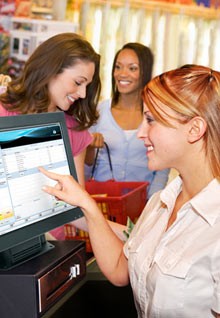
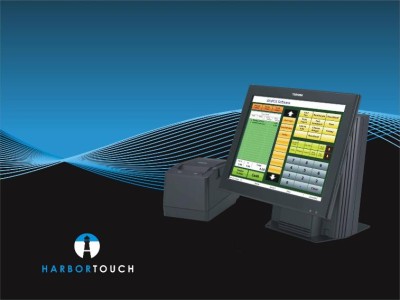
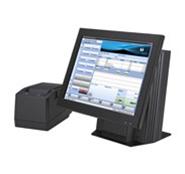
Harbortouch Hospitality POS or
Retail Point of Service System
w/ Cash Drawer
Clcik here to view a quick power-point presentation on The Harbortouch System
Power_Point_on_Harbortouch_System
HT Terminal, POS Ready, MCR, 1GB Mem,
Core 2 Duo 1.66 GHz, Receipt Printer,
Cash Drawer, Antivirus, Installation, and Training.
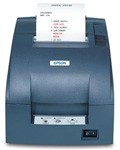
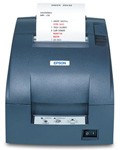
Kitchen dot matrix printer
(this is a Kitchen printer which allows
the server stations to automatically print.
Retail Systems include a bar code reader !
 Cabling (professional wire run/installation)
Please Read this entire posting !
*Monthly service fee and merchant account agreement are required.
Merchant account is required.
Contact us today at our Toll Free Number: 888-902-0298 for more information or any questions you may have.
Or contact us via E-Bay email service or at [email protected]
Call us TOLL FREE 1-888-902-0298
or email us with questions:
[email protected]
Please Read this entire posting !
*Monthly service fee and merchant account agreement are required.
FEES Involved:
- There is a $59 a month charge for service and support.
There is a $69 per quarter charge
which covers onsite repair,
remote support,
remote training and
automated offsite Data Backup.
You must also sign up
& be approved for a
merchant account with us.
*Monthly service fee and merchant account agreement are required.
Contact us today at our Toll Free Number: 888-902-0298 for more information or any questions you may have.
Or contact us via E-Bay email service or at [email protected]
*Monthly service fee and merchant account agreement are required.
Some of the things you'll be able to do with the Hospitality Harbortouch !
ORDER ENTRY AND TICKET HANDLING
Transfer tickets to other users
A server can transfer open tickets to other employees if they need to take a break or their shift is over
A bartender can transfer a ticket to a server once a customer has been seated
Fast pay
When entering payment, the system displays commonly used bill denomination options for quicker checkout
Change tables
Transfer a customer from one table to another
Manage gratuity and taxes
View a breakdown of tips and taxes for accounting purposes
Customize ticket names
Split checks
Split checks between multiple customers at a table
Share items
Split menu items between multiple customers
Apply payments to other users' tickets
Allows customers to pay for someone else's meal or drink
Repeat previously ordered items
Allows for quicker order entry when ordering identical items or when a customer orders their “usual”
Hold (and release) menu items to the kitchen
Gives server control of order timing to ensure that each course is prepared and delivered at appropriate time
Change price or quantity of a menu item
Change price or inventory in real-time
View ticket details with “ticket status display”
Easily view the status of a particular order
Tickets can remain open indefinitely
Ideal for bar tabs and house accounts
Use on-screen keyboard to add special requests
Item discounts
Allows you to dynamically create manual comps, coupons and automatic discounts within seconds
Define custom discount rules: select which items it affects, during which hours or days and set how prices are affected
Harbortouch can provide your business with an easy-to-use POS system that will allow you to manage sales,
track inventory and analyze valuable customer information.
Harbortouch Retail will automate your day to day
business operations so you can concentrate on your customers' needs
*Monthly service fee and merchant account agreement are required.
Streamline Your Business
Harbortouch Retail will simplify the way you manage your business
by allowing you to combine multiple operations into one easy-touse
application.
You will be able to manage inventory, set multiple
pricing structures, integrate electronic payments, identify best
selling items and monitor employee productivity with a time
clock.
Advanced Reporting
You will be able to take advantage of more than 30 interactive
reports, which will provide you with detailed data about your
entire store.
You will be able to exchange this information with
Microsoft Word, Excel, Outlook and Microsoft Accounting as well as
Intuit QuickBooks®.
Easy-to-Use, Reliable Hardware
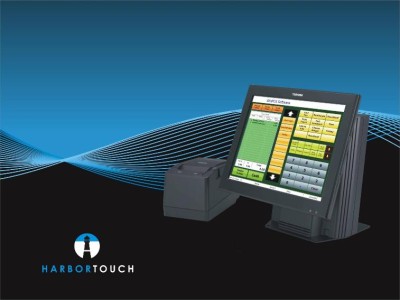
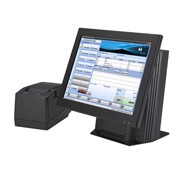
The Harbortouch POS System is easy to use, easy to maintain and
features an extremely durable, high clarity 15" touch screen
display.
It has a small footprint, allowing you to place it anywhere
in your business and its rugged design is liquid and tamper
resistant.
Additionally, unlike standard PCs, which only last 2-3
years, the average life span for a Harbortouch POS System is 7-9
years.
Environmentally Friendly
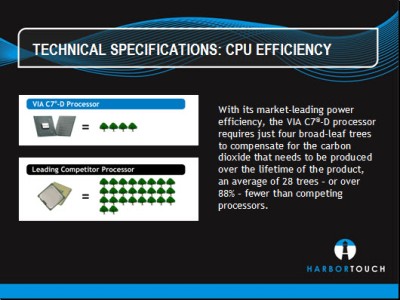
The Harbortouch POS System minimizes its carbon footprint over
the entire lifecycle of the product, from its carbon neutral manufacturing
at the factory through its low energy usage at your
location.
The low voltage CPU provides optimal performance with
minimal power consumption and heat output, allowing you to save
money and the environment.
Improve Efficiency and Increase Sales at Your Business
A Harbortouch POS System is the ultimate tool to help make running your business easier and more profitable.
CUSTOMER DATABASE
Quickly view customer's order history
Easily repeat previously ordered items
Store customer information
Name, phone number, address, order history, order preferences, birthday
Database can be used for direct marketing purposes
Identify best customers
Ideal for loyalty programs or other incentives
Identify sales trends by customer type
Search by customer first name, last name or phone number.
One touch views the customer's order history or opens a specific ticket
Re-order their favorites with a single touch
PAYMENTS & TENDER TYPES
Integrated credit, debit and gift cards
Track all payment types directly through the Harbortouch system, including cash and checks
Receipt printing
Detailed receipts print directly from system
Unlimited split payments on any ticket
Split each check between customers or between different payment types
Fast pay
When entering payment, the system displays commonly used bill denomination options for quicker checkout
Checkout with only two touches
Record checks with tips
Easily track tip totals as well as taxes
MENU SETUP
Add unlimited menu items
Add unlimited screen categories
Screen categories allow the merchant to arrange related
menu items into easily accessible groupsPlace items into
multiple screen categories
Add unlimited choices (modifiers)
Add one or multiple choices to each menu itemSelect
whether choices are optional or required
Example: Meat temperature (well done, medium, mediumrare)
is a required modifier for a burger while lettuce,
tomato, ketchup, mayo, etc. are optional
Add unlimited choice sets
Choice sets allow the merchant to arrange related choices
into easily accessible groups
Place choices into multiple choice sets
Easy Menu Editing
Add and edit menu items in real-time with a simple and
intuitive interface
JOB & EMPLOYEE SETTINGS
Create unlimited jobs
Jobs include servers, bartenders, host/hostess, managers, dishwashers, etc.
Each job can be customized with various attributes such as pay rate and security level
Add unlimited employees to each job type
Manage employee security access
Each job or employee can be given different levels of security clearance within the system
Automatically calculate overtime pay
Edit timesheets from any terminal
Employees show red when close to overtime
Access complete employee database, showing:
Date hired
Date terminated (if applicable)
Insurance # (if applicable)
Base salary
Hours worked
Personal information (i.e., full name, social security number, phone number, address, etc.)
*Monthly service fee and merchant account agreement are required.
PRINTING
Connect up to 5 printers per system
Can include multiple remote printers plus a receipt printer at the point of sale
Custom order routing
Automatically relay each part of an order to the appropriate area within the restaurant (i.e. kitchen, bar, salad area, etc.)
Group similar items on kitchen prints
Group similar items for maximum efficiency in the kitchen
Ability to print choices (modifiers) in red
Ensures that special orders are not overlooked by kitchen staff
Sort tickets by seat position at their table
Avoids customers receiving the wrong order
FRESH SHEET & INTERNAL MESSAGING
Fresh Sheet
Allows you to view a countdown of item portions remaining on-hand
Alerts will notify when an item is getting low
Manual override can be used to order items as necessary
Internal Messaging
Communicate with your staff
Add a message of the day to the login screen (i.e., encourage sales of a particular item, acknowledge the “employee of the month”
or wish a happy birthday, etc.)
FRESH SHEET/INVENTORY TRACKING
Check inventory count in real-time right from the main order
screen or the fresh sheet at the login screen
The fresh sheet allows you to view a countdown of item
portions remaining on-hand
Alerts will notify when an item is getting low
*Monthly service fee and merchant account agreement are required.
Some of the things you'll be able to do with the Harbortouch Retail version:
THE POINT OF SALE SYSTEM THAT WILL revolutionize your Business !
It has never been easier to take advantage of the benefits of a point of sale (POS) system.
Harbortouch offers a full-featured point of sale system without all the hassle or the high cost.
We have simplified the process so you can easily transition from your current transaction terminal to a state of the
art touch-screen POS system that will streamline your business operations and automate your daily management activities.
Harbortouch offers countless time and money saving features that will allow you to focus on what's important:
keeping your customers satisfied and spending!
STREAMLINE YOUR BUSINESS
Combine multiple operations into one easy-to-use application
Accept cash, checks, credit and debit directly through your POS system
Track inventory and monitor stock depletion
Manage employee schedules and productivity
Track employee hours with a built-in time clock
Comprehensive reports provide a top-level picture of your business
SAVE TIME AND MONEY
Increase checkout efficiency
Inventory tracking minimizes shrinkage
Reduce checkout and pricing errors
Wide range of built-in reports help reduce
accounting and bookkeeping expenses
Monitor financials
View sales history to predict volume and
schedule employees appropriately
Track inventory for accurate product ordering
Identify sales trends, bestselling items and productive employees
Monitor discounts, voids and refunds
THE COMPLETE PACKAGE
The Harbortouch POS system is easy to use, easy to maintain and features an
extremely durable, high clarity 15" touch screen display, lightning fast processor and
ample memory.
This POS system has a small footprint, allowing you to place it just
about anywhere in your business and its rugged design is liquid and tamper
resistant.
Additionally, unlike standard PCs, which generally last 2-3 years, the
average life span for a Harbortouch POS system is 7-9 years.
Unmatched in durability and reliability, a Harbortouch system will provide a point of sale solution for years to come.
*Monthly service fee and merchant account agreement are required.
ONSITE INSTALLATION AND EXCEPTIONAL SUPPORT
Experienced and certified installation professionals make sure your system is set up correctly the first time
24 hour in-house customer service and technical support
Remote support allows the Harbortouch support team to repair any software issues at any time
USEFUL FEATURES
Intuitive, step by step setup wizard
Create item discounts to accommodate sales and coupons
Customer database is ideal for loyalty programs or direct marketing
Scale support for items priced by weight
Optional wireless scanner for easy inventory input
ADVANCED REPORTING
REPORTS OVERVIEW
COMPREHENSIVE REPORTING
Harbortouch Retail offers a wide range of interactive reports,
decreasing bookkeeping and accounting expenses while providing a top level picture of the business.
Cash in
Track cash put into the cash drawer
Cash out
Track cash removed from the cash drawer
Z Cash Count
Provides a full report of daily transaction activities
Used when manually closing a batch at the end of the day
X Cash Count
Used to view a snapshot of that day's transactions at the time the report is run Sales
View by day, week, month, year or custom filter
Sort by item, item family or employee
Payment Means
Breakdown of different payment types (Credit, debit, cash, checks and gift cards)
View by day, week, month, year or custom filter
Returns
Breakdown of returns by employee
Sort by item or return reason
View by day, week, month, year or custom filter
Discounts
Breakdown of discounts by employee
Sort by item or discount reason
View by day, week, month, year or custom filter
Time Sheet
View hours clocked by each employee
View by day, week, month, year or custom filter
Comps
Breakdown of comps by employee
Sort by item or comp reason
View by day, week, month, year or custom filter
Compare
View a graphical representation to compare two periods of time
Compare sales amount or items sold
Sort by “average by day” or “totals”
Taxes
View detail of taxes collected
View by day, week, month, year or custom filter
Stock
View current inventory
Sort by item or item family
*Monthly service fee and merchant account agreement are required.
THE LIGHTHOUSE
The Lighthouse is a proprietary management and reporting tool that communicates information
between your Harbortouch POS system and the
Interactive Merchant System, an online portal for Harbortouch merchants
Access the information on your POS system from any computer with an Internet connection
Run various real-time reports and even make changes to your product line remotely
Contact us today at our Toll Free Number: 888-902-0298 for more information or any questions you may have.
Or contact us via E-Bay email service or at [email protected]
*Monthly service fee and merchant account agreement are required.
There is no charge for the equipment, there are fees for service, support, repair, training, and the merchant account fees.
Winning bidder must set up a merchant account with United Bank Card.
You must also sign up & be approved for a merchant account with us.
Please Read this entire posting !
United Bank Card, Inc. is a registered ISO/MSP of First National Bank of Omaha, 1620 Dodge St., Omaha, NE
*Monthly service fee and merchant account agreement are required.
Winning bidder must set up a merchant account with United Bank Card.
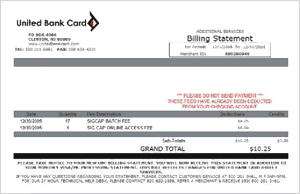
| | | Services | Rates & Fees | Application Fee, Ebay purchase
| $99
| Quarterly Equipment Guarantee fee:
| $69 a Quarter | Termination Fee: YES
| 5 Year Contract | Processing Equipment: All is Pre-programmed for your business.
| Included | | 24 Hour Technical Support, 7 days a week | Included | | Discount Rate -Credit (Visa, M/C, Discover) | 1.79% | | Discount Rate - Debit (pin transactions) | 0.00%, you are only charged .35 per pin debit !
| | Transaction Fee | $.23 cents per transaction | | Statement Fee | $10 / month | Monthly Service fee
| $59 a month
| Minimum Monthly cost: $25 if you do no credit card sales. The $10 statement fee, quarterly $69 fee and the $59 monthly service fee are also charged even if you had no credit card sales. |
Please Read this entire posting !
*Monthly service fee and merchant account agreement are required.
Contact us today at our Toll Free Number: 888-902-0298 for more information or any questions you may have.
Or contact us via E-Bay email service or at [email protected]
You must also sign up
& be approved for a
merchant account with us.

United Bank Card, Inc. is a registered ISO/MSP of First National Bank of Omaha, 1620 Dodge St., Omaha, NE
Email us with questions.

Call us TOLL FREE 1-888-902-0298 or email us with questions:
*Monthly service fee and merchant account agreement are required.
[email protected]
We've been helping merchants since 2003 !
HOSPITALITY VERSION FEATURES
More Information about the Point of Sale System
ORDER ENTRY, DATA ENTRY AND TICKET HANDLING
Transfer tickets to other users
Fast pay
Item discounts
Manage gratuity and taxes
Change tables
Customize ticket names
Split checks
Share items
Apply payments to other users' tickets
Repeat previously ordered items
Hold (and release) menu items to the kitchen
Use on-screen keyboard to add special requests
Change price or quantity of an item
View ticket details with "ticket status display"
Tickets can remain open indefinitely - ideal for tabs and house accounts
Manage table sections by job
Customer database with sales tracking
JOBS, EMPLOYEES & SECURITY SETTINGS
Create unlimited jobs
Automatically calculate overtime pay
Edit timesheets from any terminal
Employees show red when close to overtime
Access complete employee database
View employees' personal information
Manage employee security access
PAYMENTS & TENDER TYPES
Integrated credit and gift cards
Receipt printing
Unlimited split payments on any ticket
Split tickets into an unlimited number of payments
Multiple cash drawers (2 per terminal) with balance-by-drawer
Use fast pay to close a ticket in two touches
Record checks with tips
MENU SETUP AND SCREEN CATEGORY SETS
Add unlimited menu items
Add unlimited screen categories
Add unlimited choices (modifiers)
Place items into multiple screen categories
Select whether choices are optional or required
Add ore or multiple choices
Reuse choices in as many sets as you like
Generate additional remote prints using choices
DISCOUNTS, GRATUITY & TAX SETUP
Item price and quantity generates dynamically
Hide taxes for over-the-bar transactions
Create taxation rules (surcharges, thresholds, GST taxes)
Change similarly-priced items in one step
Create happy hour or other promotional discounts
Supress hidden discounts on customer prints
Restrict manual discount availability by item
Make discounts apply to tickets, items or both
Add unlimited void reasons with detailed tracking
PRINTING
Up to 5 printers
Print choices in red
Group similar items on kitchen prints
Route prints based on jobs
Sort tickets by seat position
Printers can be assigned multiple roles
Supports multiple kitchen printers
REPORTING & CUSTOMER DATABASE
Access 50+ built-in reports
Ability to store customer data
Instantly access daily reports
Print daily summary on receipt printers and review on screen
Database stores all information permanently
Track audit trail of items sold
Create reports from data with unlimited history
Save reports as PDF, Excel, .csv, .rtf or other formats
See, access and use the underlying data
MESSAGING & FRESH SHEET
Fresh Sheet: View countdown of item portions remaining
Use manual override to order items as necessary
Communitcate with your staff using internal messaging
Add a message of the day to the login screen
CUSTOMER REPORTS
*Monthly service fee and merchant account agreement are required.
Customers summary
Customers detail
Customer sales summary
Customer sales detail
Customer payments summary
Customer payments detail
AUDITING REPORTS
Cash drawer
Credit returns
Orphaned tickets
Paid in
Paid in by day
Paid out
Paid out by day
Tax removals
MENU REPORTS
Choice sets with menu items
Choices and choice sets
Menu by name with screen categories
Menu with screen categories
Plain menu
SALES REPORTS
LABOR REPORTS
Job report
Employee directory
Detailed job by employee
Payroll detail
Payroll for hours worked
Payroll summary
Payroll report with sales
Payroll shift report
SECURITY REPORTS
Security by type by user
Security by user by type
PRODUCT MIX REPORTS
*Monthly service fee and merchant account agreement are required.
Basic product mix
Day part product mix group detail
Day part product mix item detail
Employee sales - Detail by employee
Product mix - Day part
Product mix - Detail by day part
Product mix - Employee detail
Product mix by group
Product mix by group - Item detail
TRANSACTION REPORTS
Credit card receipts
Tips by tender by employee
CUSTOMER REPORTS
Customers summary
Customers detail
Customer sales summary
Customer sales detail
Customer payments summary
Customer payments detail
AUDITING REPORTS
Cash drawer
Credit returns
Orphaned tickets
Paid in
Paid in by day
Paid out
Paid out by day
Tax removals
MENU REPORTS
Choice sets with menu items
Choices and choice sets
Menu by name with screen categories
Menu with screen categories
Plain menu
SALES REPORTS
Choice sales (alphabetical)
Choice sales by choice by employee
Choice sales by choice sets
Choice sales by employee
Discounts by class by item detail
Discounts by class by item summary
Discounts by class by type detail
Discounts by class by type summary
Discounts by class by employee by type by class
Discounts by type by class detail
Discounts by type by class summary
Employee item group sales by revenue class
Employee item group sales detail by revenue class
Employee sales by revenue class summary
Hourly sales performance by revenue class
Hourly sales performance
Item sales alphabetical
Item sales by class by group
Item sales by employee
Items sales by item group revenue class by employee
Open tickets detail
Price group sales by revenue class
Sales and labor statistics
Sales and labor summary
Seating performance details
Seating performance summary
Timesheets sales summary
Restaurant financial overview (MS Excel)
Restaurant financial overview
Restaurant financial overview (no labor)
Daily sales and labor summary
LABOR REPORTS
Job report
Employee directory
Detailed job by employee
Payroll detail
Payroll for hours worked
Payroll summary
Payroll report with sales
Payroll shift report
SECURITY REPORTS
Security by type by user
Security by user by type
Tender by ticket by employee
Tender details (all)
Tender details (custom)
Ticket movement by creator
Ticket movement by last owner
Ticket movement by acting user
Detailed tickets
Timesheet edit log
Voids by class by item detail
Voids by class by type detail
Voids by class by type summary
Voids by employee by type by class
Voids by type by class detail
Voids by type by class summary
*Monthly service fee and merchant account agreement are required.
Winning bidder must set up a merchant account with United Bank Card.
You must also sign up
& be approved for a
merchant account with us.
Contact us today at our Toll Free Number: 888-902-0298 for more information or any questions you may have.
Or contact us via E-Bay email service or at [email protected]
*Monthly service fee and merchant account agreement are required.